Elevate your in-person payments with Newland terminals. They support a secure, efficient, and streamlined checkout process with multiple payment methods at the POS. Integrating our capabilities enhances convenience for your business and ensures a superior customer experience.
Through Newland's offline payment integration capabilities, the merchant's sales process becomes more efficient, secure, and provides customers with a more convenient payment experience. Below is the standard sales process after integration:
Cashier Inquires About Payment Method
The cashier asks the customer about their preferred payment method at the point of sale, such as credit card, debit card, QR code payment, etc., to ensure the selected payment method suits the customer.
Enter Payment and Order Information
The cashier inputs the selected payment method and order details (such as products, amounts, etc.) into the cashier terminal program, preparing to initiate the payment transaction.
Transmit Information to Payment Terminal
The cashier terminal program transmits the payment method, order information, and transaction request to the Newland payment terminal via API. The payment terminal then prepares to process the payment based on the received information. In the Stand-alone mode, the cashier enters the transaction information directly into the payment application on the payment terminal.
Customer Completes Payment
Customers can make payments using their bank cards on the Newland payment terminal, or they can choose QR code payment, NFC payment, or other methods. After the payment terminal collects the customer's card information or QR code data, it initiates a payment request to the acquiring institution through the payment network.
Transaction Approval and Response
Once the payment institution approves the transaction, the merchant will receive the transaction response information from the payment terminal. This includes the transaction result, whether successful, failed, or other processing statuses. The cashier then performs follow-up actions based on the response, such as printing the receipt or processing refunds.
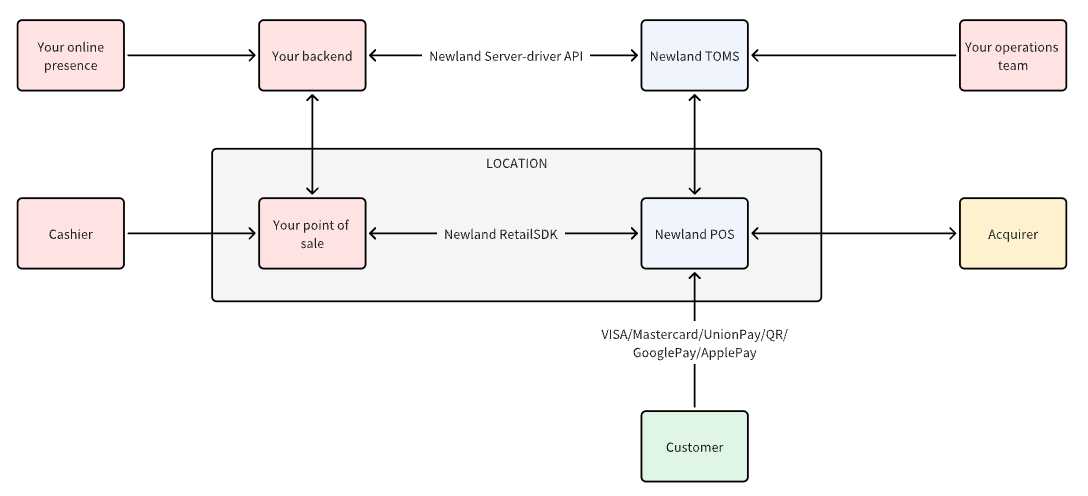
With Newland Payment Integration Solution, you can build a point-of-sale (POS) system with the following features:
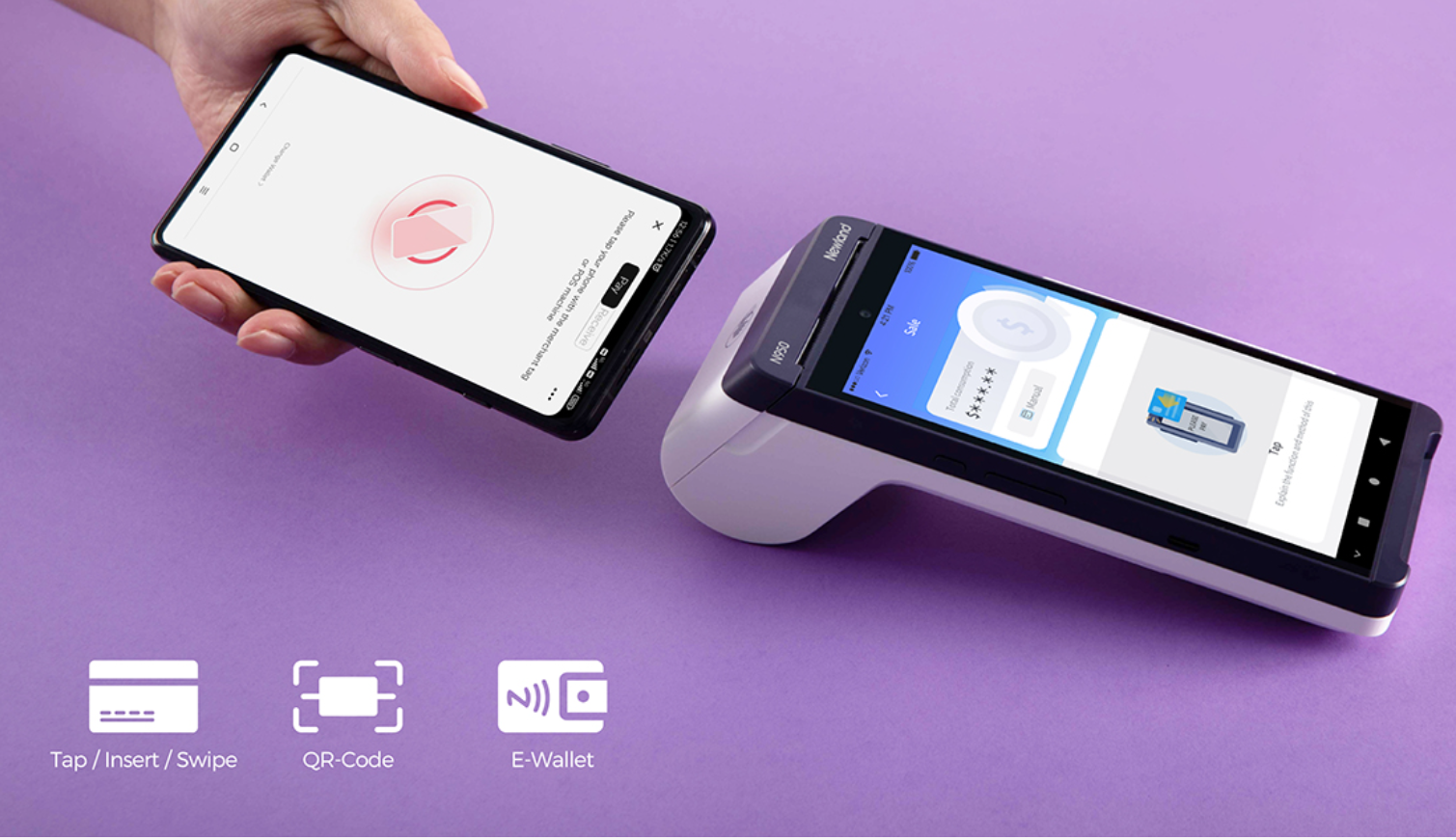
Choose Your Integration Architecture
The choice of integration architecture determines how your cashier application communicates with the payment terminal. Based on your use case and hardware requirements, you can choose from the following integration methods:
Stand-alone: The payment device integrates not only the payment-centric application but also the POS Software and therefore, the POS and the payment device reside in the payment device. This configuration is typically possible for the new generation of payment devices such as Android-based payment devices with a large display screen and other powerful capabilities that traditional devices cannot offer.
Semi-integrated: The POS software, which can reside solely in the POS or partially in the cloud, will trigger the payment to the payment device. In this configuration, the payment device handles the connection with the payment host.
Full integrated: The POS system runs the payment application. In this configuration, the POS handles the connection with the payment host, and the entire system must be PCI certified.
Understand the transaction functions you need to integrate.
After selecting the appropriate integration architecture, the next step is to integrate the corresponding API into your program. Whether integrating the SDK or API, you need to follow the provided documentation and development guidelines to correctly integrate it into your cashier application.
Create orders and perform functional testing to ensure the payment process runs smoothly and meets expectations.
