adb install paymentlink-1.x.xx.apkThe method of installing applications using ADB can only be used on debug-enabled devices.
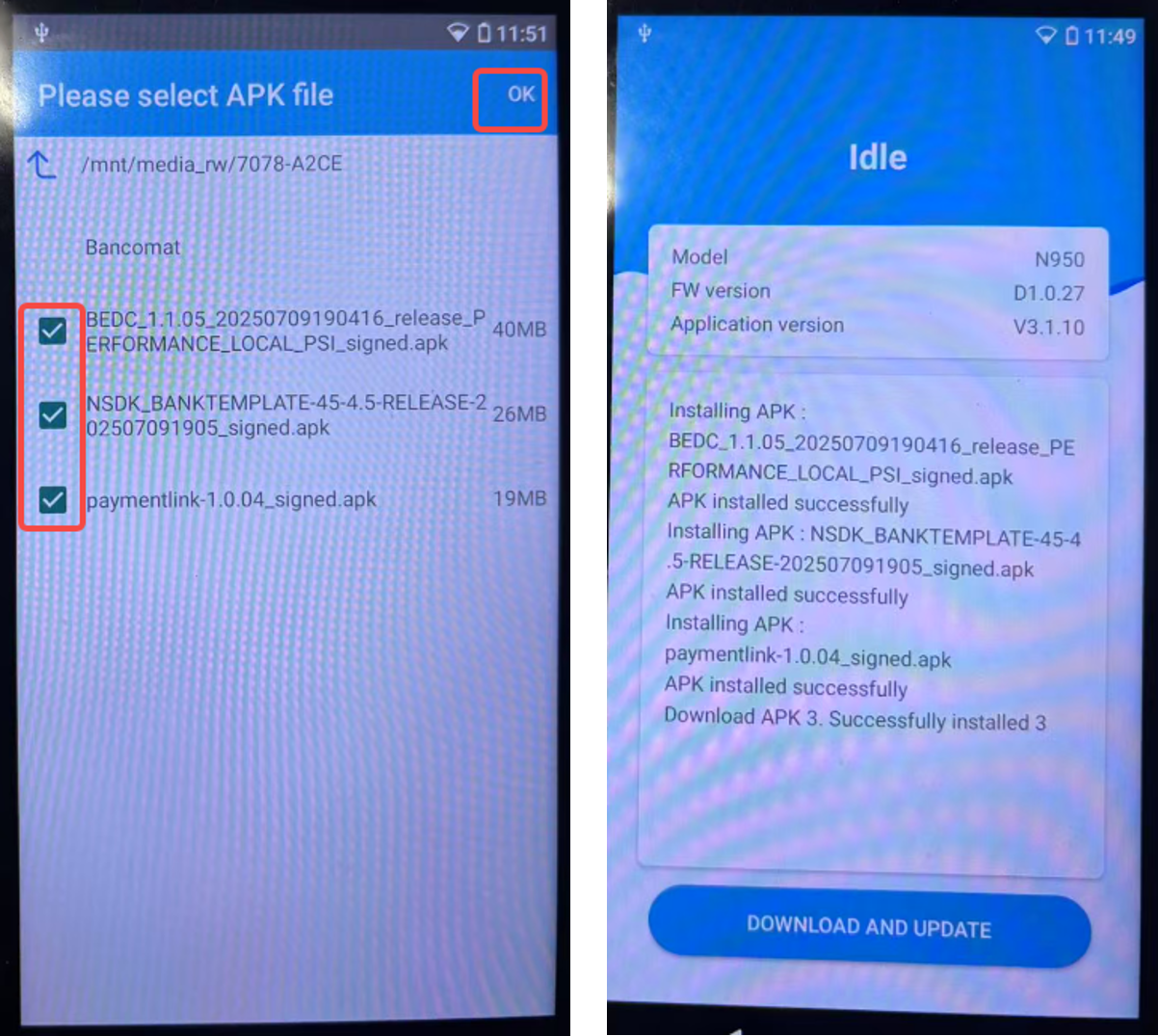
APK or Certificate or OTA packages can be loaded through USB using the Install application available in the termianl.
Launch the Update Tool applicatioin on your terminal and Downloader on your computer.
If your Andorid device's version is higher than v5.0.0, you can follow these steps:
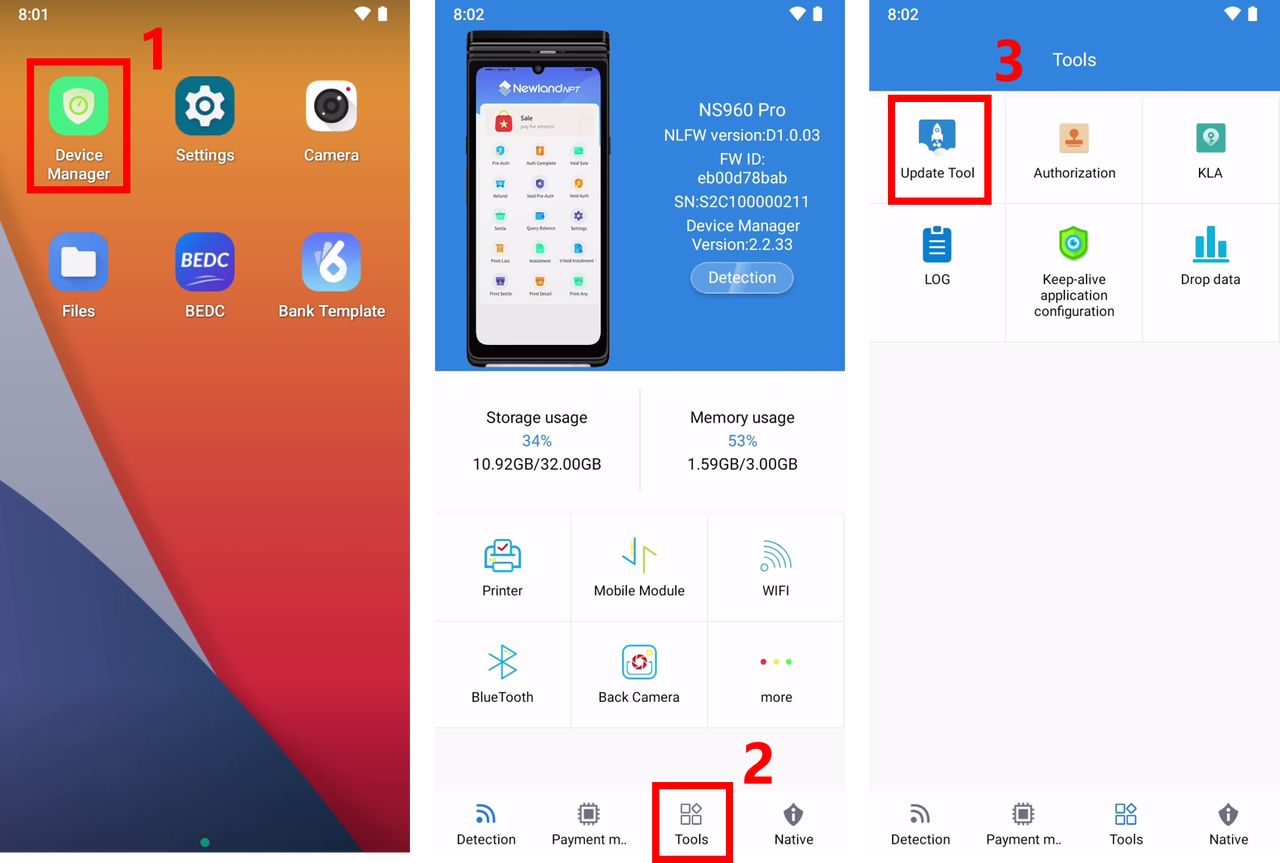
Open "Device Manager" on the desktop
Select the "Tools" menu and click the "Update Tool" application.
Install USB Serial Driver on your computer.
Open the "Downloader" tool on your computer.
If the terminal has been set properly and connected to the computer through USB, you can see the communication port corresponding to the device int the port drop-down on the "Downloader" tool. Other wise, please check the USB Serial Driver and Terminal Preparation.

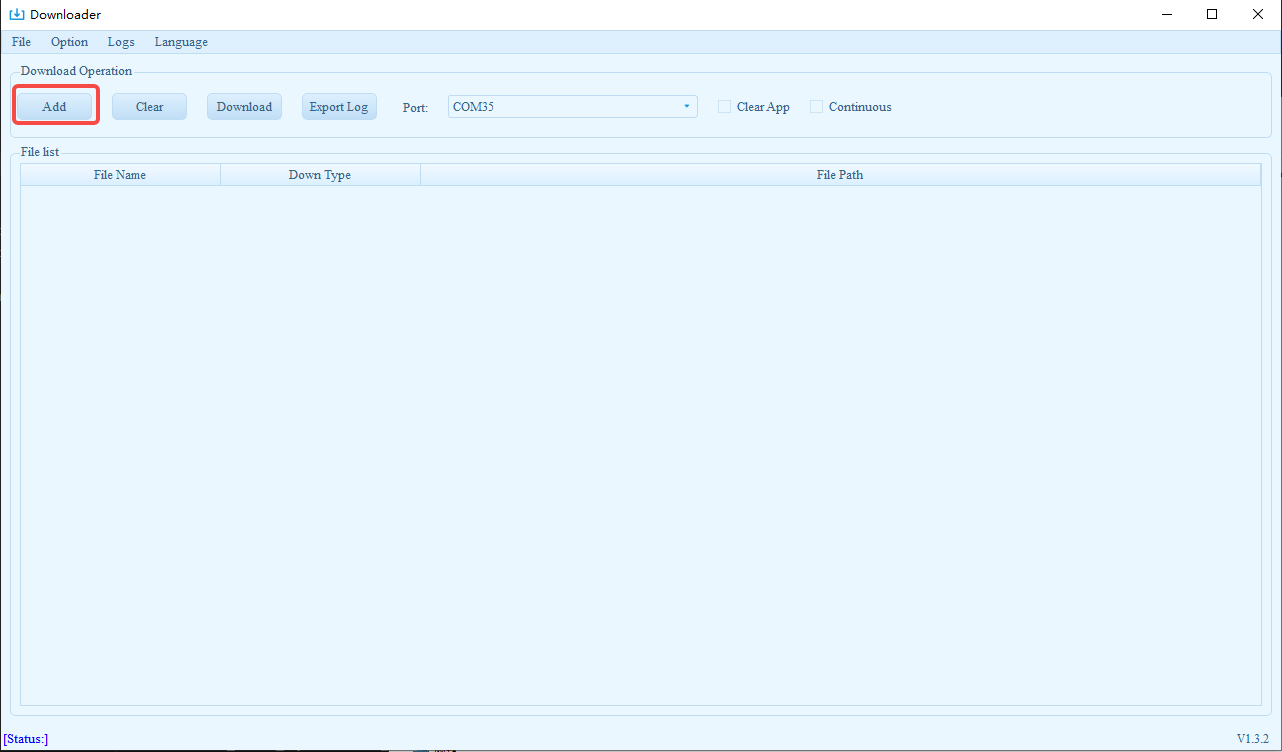
Please, make sure that the Clear App is NOT checked (if checked, it will remove all the applications which are installed).

Prepare a USB disk and copy the apk you are going to download to the USB disk.
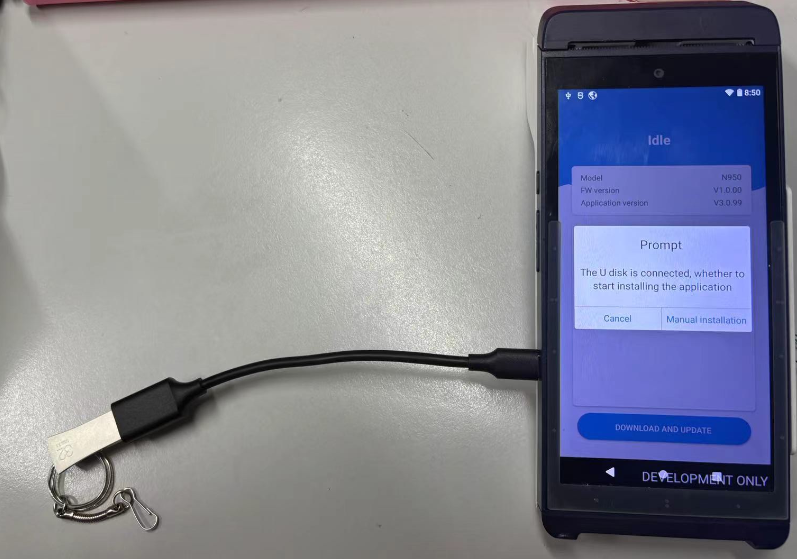
Open the update tool app(Device Manager->Tools->Update Tool) on the device.
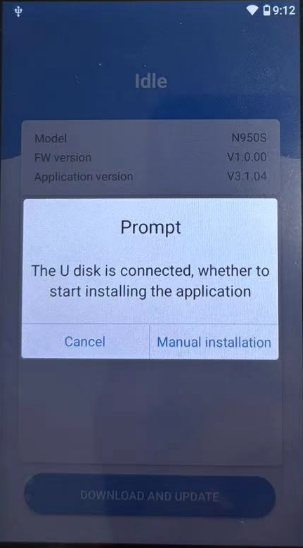
Then it will show the following dialog. Click [Manual installation] to proceed with installation.