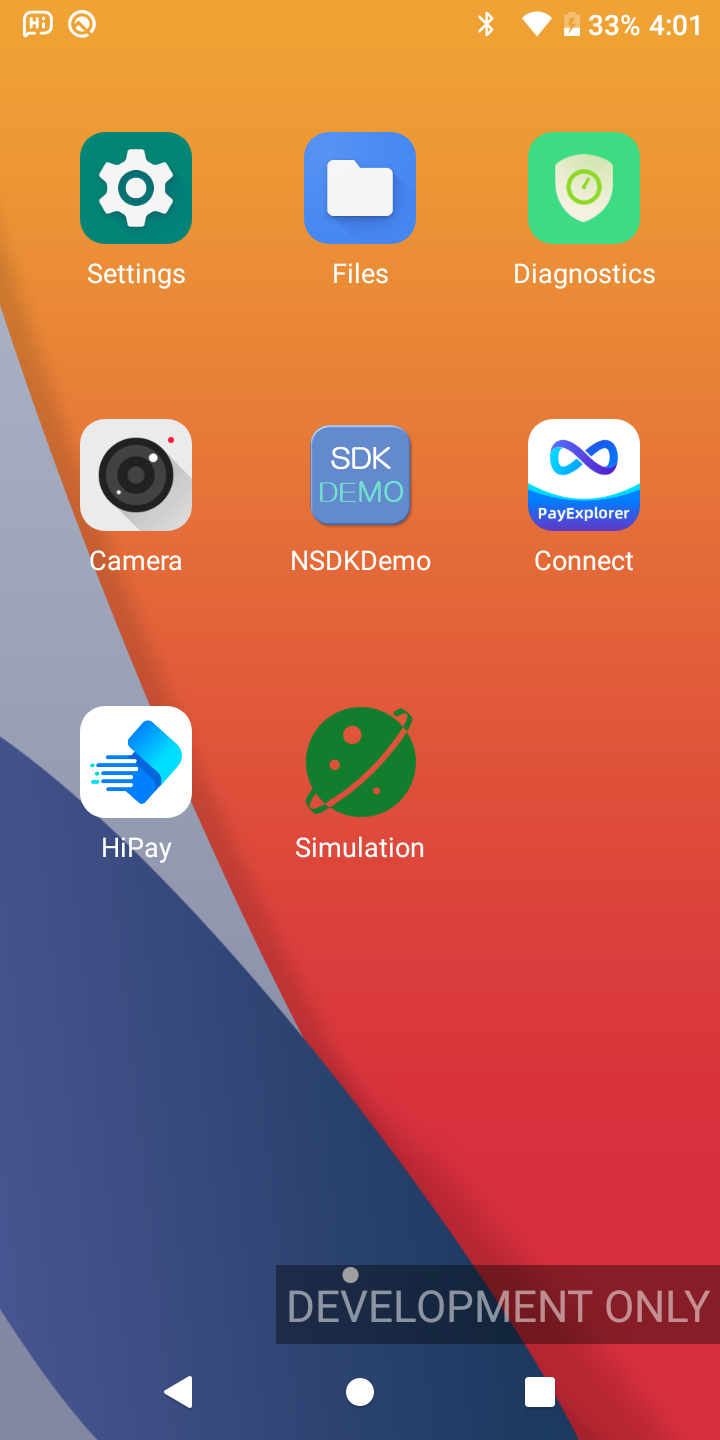
These applications provide the runtime environment required for payment processing and terminal operations.
| Region | Pre-installed Applications |
|---|---|
| Global Resource | PayExplorer Connect Application The PayExplorer Connect application is responsible for managing ECR connections and semi-integrated payment flows. It provides essential configurations including: (1) ECR communication interface selection (e.g., UART, LAN, USB) (2) Kiosk mode enable/disable (3) Connection parameter settings (e.g., IP address, port, timeout) HiPAY Acquiring Application HiPay is the acquiring application installed on the payment terminal. It enables bank card transaction processing on the payment terminal. Simulation Tool The Simulated Transaction APK is a testing stub. It is used to simulate a real transaction environment together with the HiPay application. |
If these applications are not present on the payment terminal, refer to the Developer Resources to download and install them. The same guide also describes how to perform the initial configuration.
For separate-device access, connect the EPOS and payment terminal through a supported communication method before initiating transactions.
Additionally, the corresponding communication method must be enabled in the PayExplorer Connect application on the payment terminal.
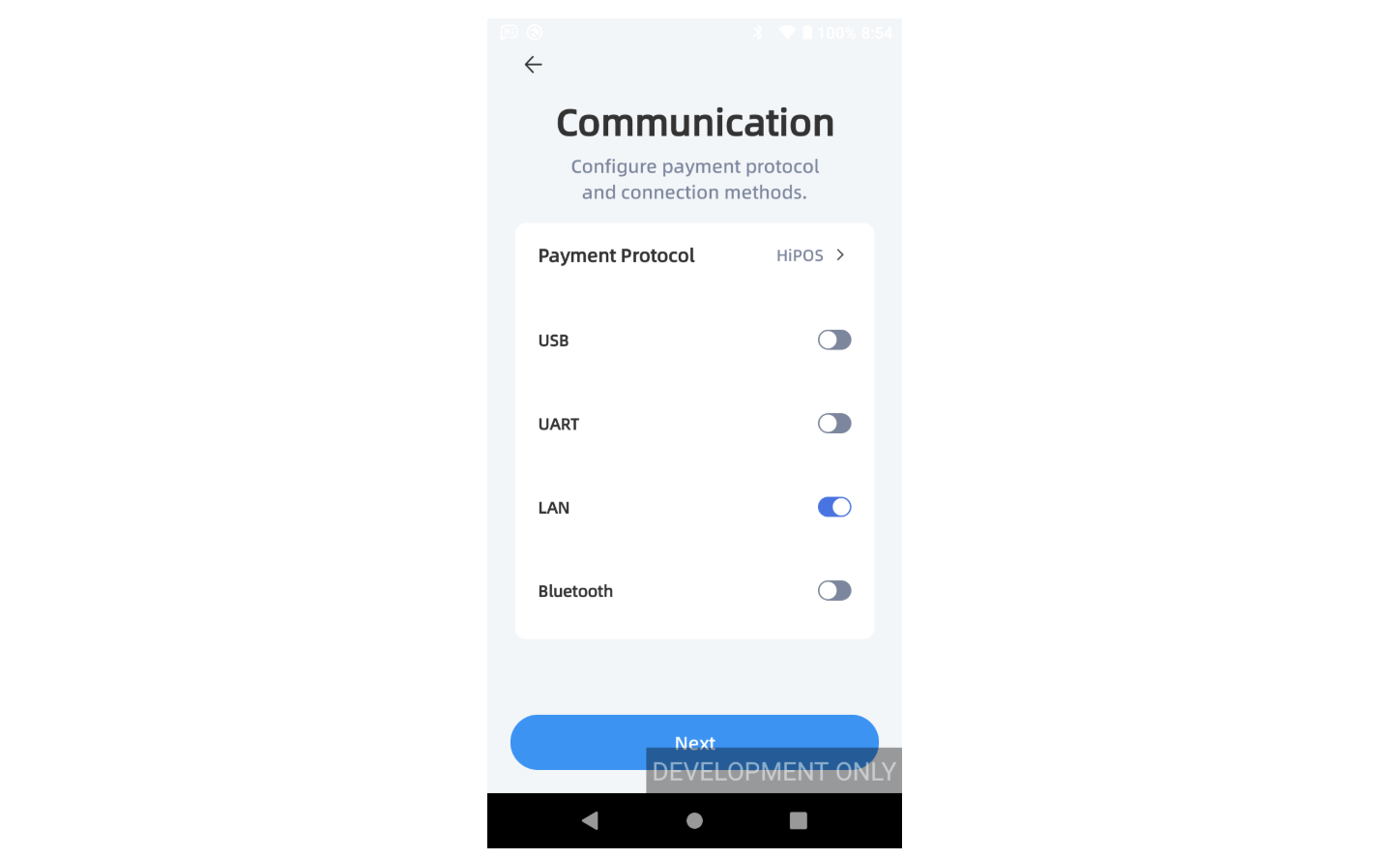
As shown below, the communication method can be configured during the initial setup wizard.
Connect the EPOS device and the payment terminal directly using a USB cable or serial cable to establish a local wired communication connection.
When using Bluetooth communication, the EPOS device and the payment terminal must first be paired.
Pairing steps:
Settings on payment terminal
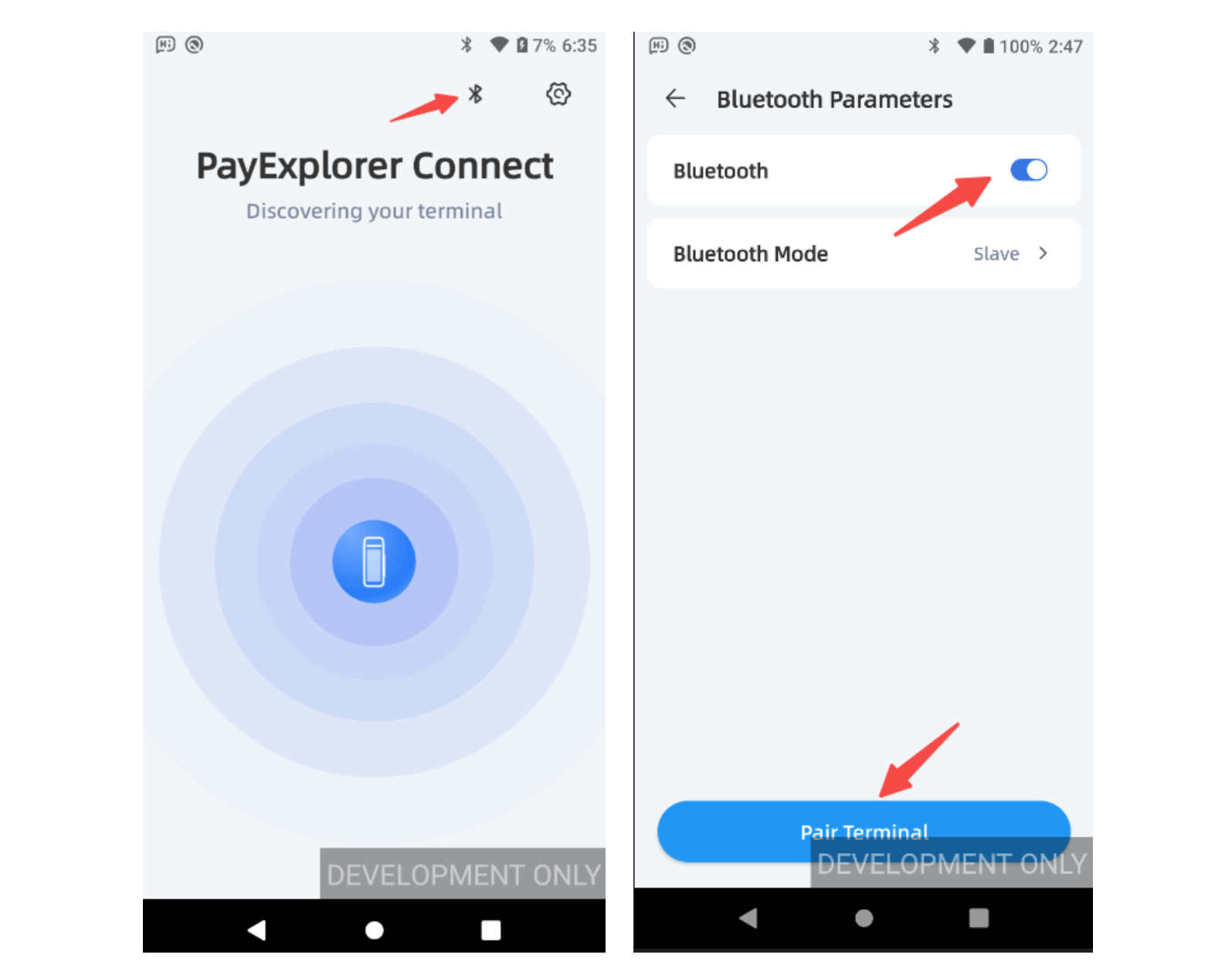
1.On the PayExplorer Connect home screen of the payment terminal, tap the Bluetooth icon in the upper right corner to open Bluetooth settings.
2.Ensure the Bluetooth switch is enabled and the mode is Slave.
To connect the EPOS device to the payment terminal over Wi-Fi, ensure that the payment terminal is connected to the same network.
Steps to connect the terminal to Wi-Fi:
Configure a Static IP Address (Recommended)
It is recommended to configure a static IP address for the payment terminal.
A static IP address ensures that the terminal always uses the same network address, which reduces the need to reconfigure the connection between the EPOS and the payment terminal.
To configure a static IP address, you need the network configuration information, such as:
These values can be obtained from your network administrator or from the router configuration page.
Steps to configure a static IP address on the terminal:
